Works offline
Add expenses with no signal. Cashout syncs when you’re back online.
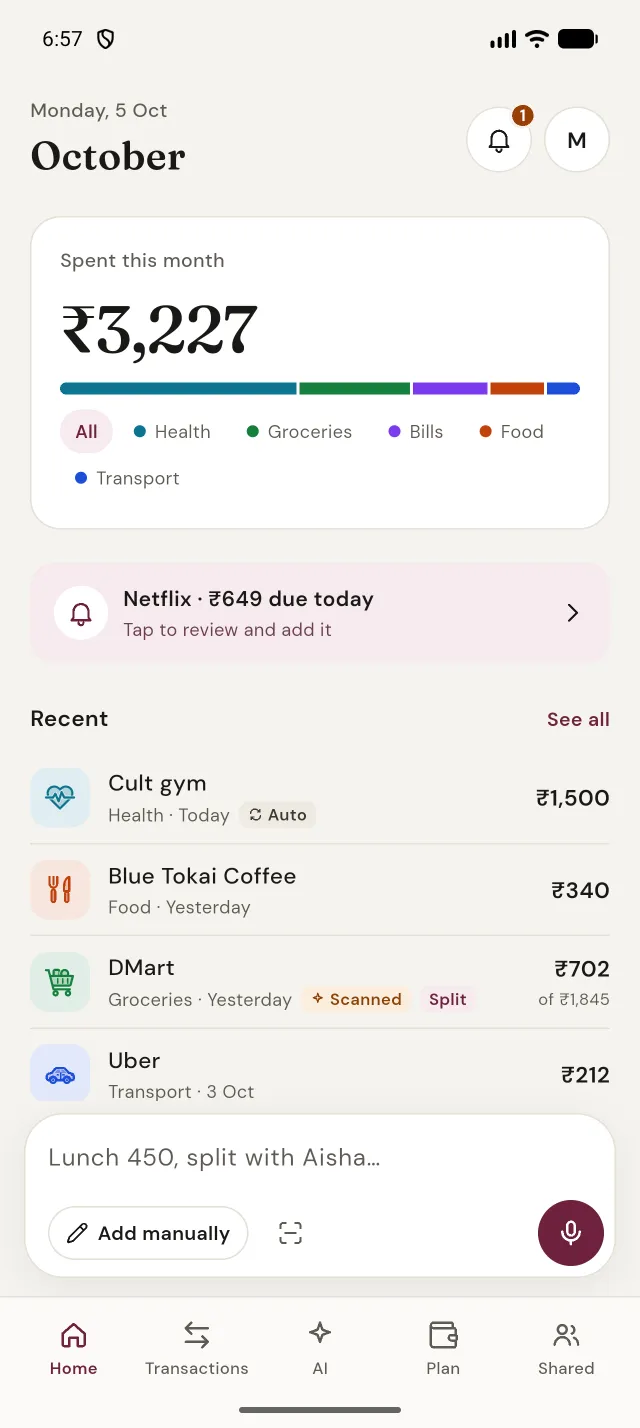
Type or say what you spent, snap a receipt, or split a bill with friends. Cashout files it, adds it up and shows you where it all went.
No forms to fill. Write it the way you’d text a friend and Cashout picks out the title, amount, category and date.
Added 3 expenses for today.
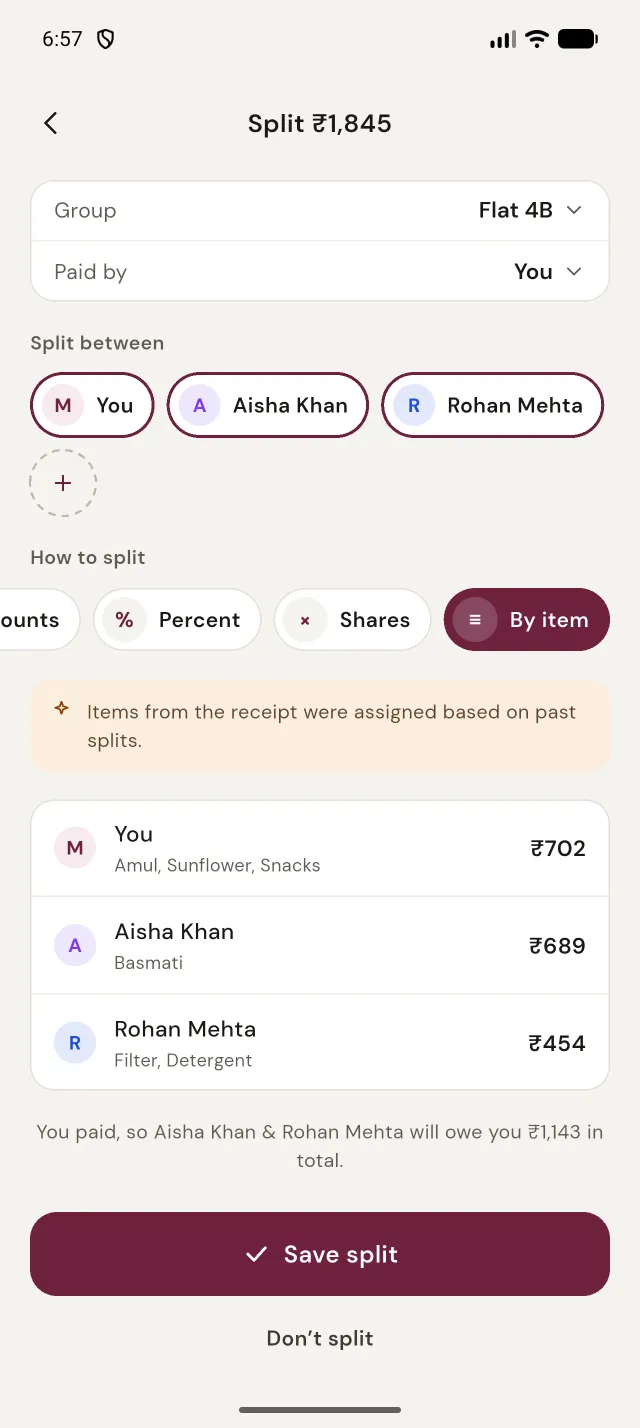
Point the camera at a receipt. Cashout reads the store, total, date and every line, then suggests who had what, based on how you split before.
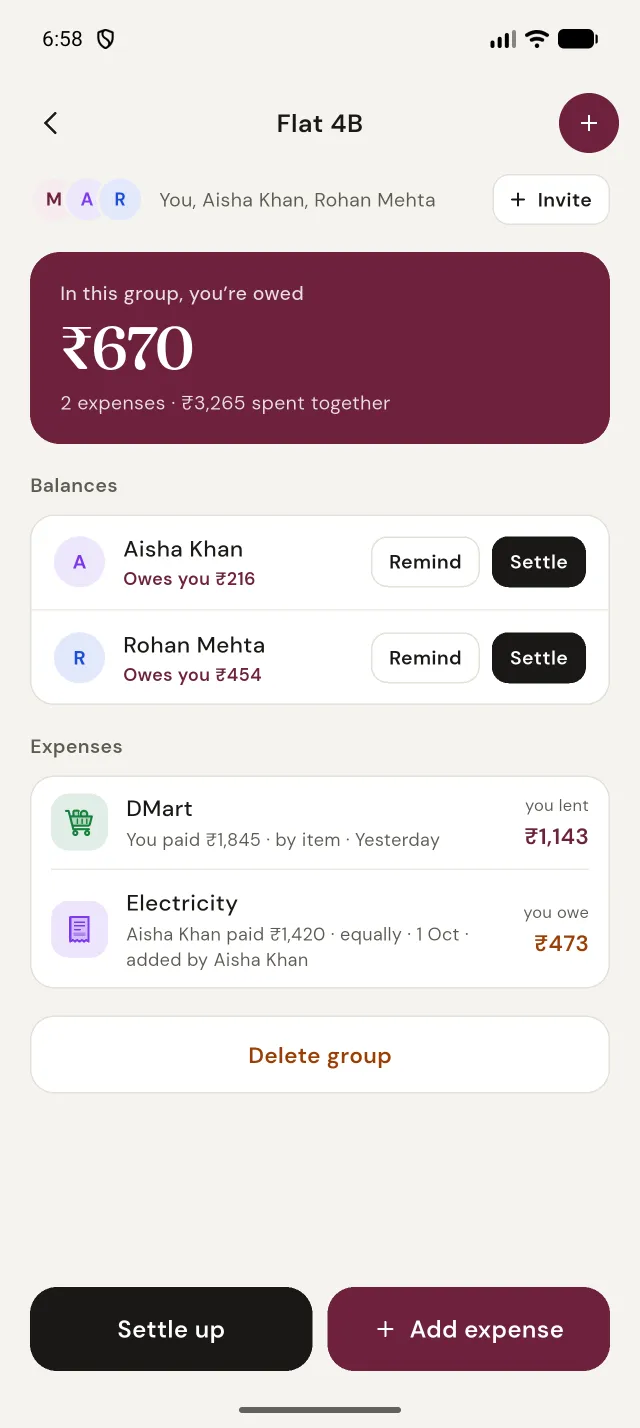
Make a group for your flat, a trip or the family and invite people by their Google email. Everyone sees the same numbers.
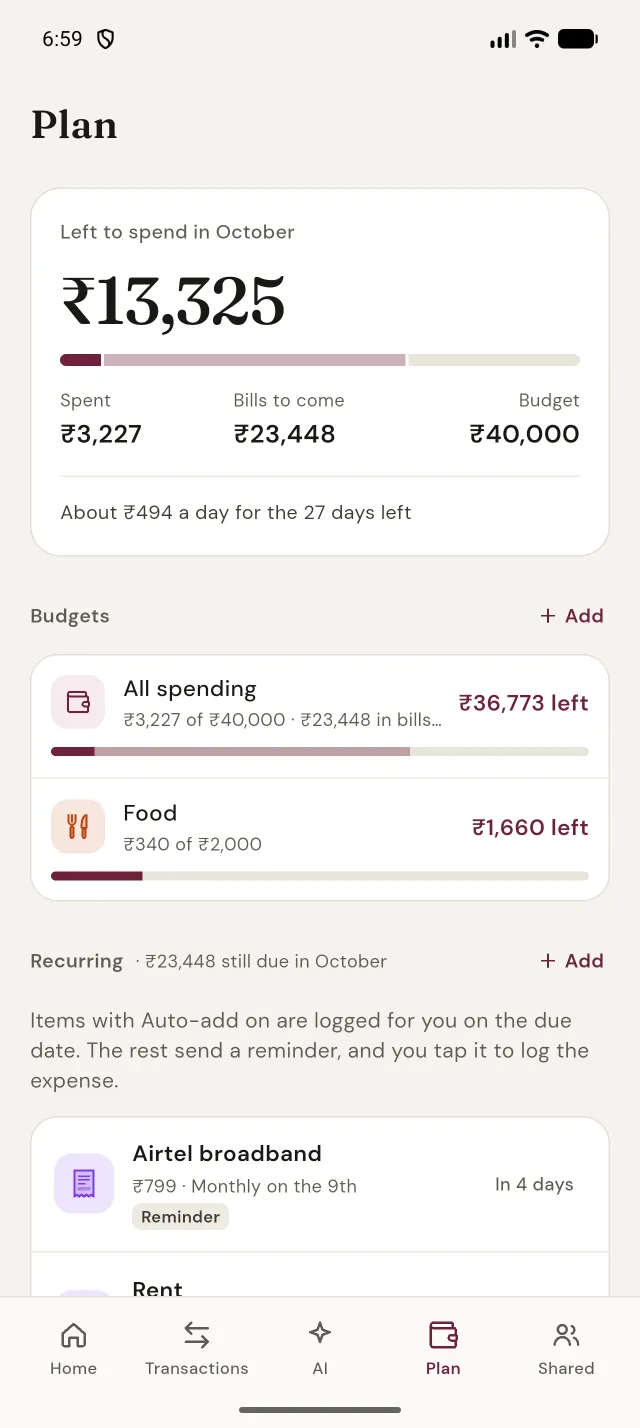
Set a monthly budget, overall or per category. Cashout counts the bills still to come, so “left to spend” really means left.
Ask in plain words. Cashout works out the answer on your phone, from your own data, and shows you which expenses it counted.
Example answers. Yours come from your own expenses.
Add expenses with no signal. Cashout syncs when you’re back online.
Hundreds of icons and colours. Archive the ones you no longer use.
Follows your phone, or pick the one you like.
Turn on income tracking to see what came in, what went out and what’s left.
Sign in with the same Google account and everything’s there.
Work out a split or a total right in the amount field.
Cashout makes nothing from ads or your data. It’s made by an independent developer in India, and the privacy policy says exactly what’s stored and why.
Not a banner, not a “sponsored” tip. Ever.
No analytics or tracking tools, and we don’t sell your data.
Expenses are yours alone unless you add them to a group you share.
Erase your account and data from the app. How it works.
free AI credits, every month. Receipt scanning, the chat and voice notes use Cashout AI. Everything else, from the add form to budgets and splits, works without credits.
Free on Android. Sign in with Google and add your first expense in under a minute.
Get it onGoogle Play